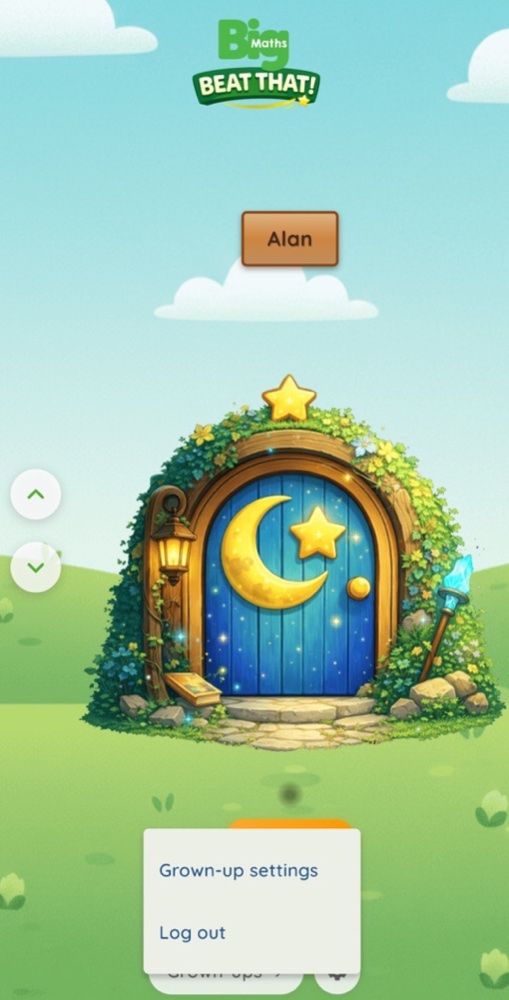
The grown-up controls sit at the bottom of the Doors screen, away from little fingers. Use them to check learning and manage the account.
Who can do this: the adult signed in on this device.
The Grown-ups button. Hold or double-tap Grown-ups to see a short note about bigmaths.website. That is where adults manage children and read progress.
The settings cog. Tap the settings cog to open the Grown-ups menu. Then tap Grown-up settings to open Account Settings.
Account Settings. Here you will find Your Account, Learning results, Data & Privacy and account actions. The app version is shown at the bottom. How the app works opens this App Guide, which you can also read offline.
Deleting your account. This works the same way as on the website, and you need to be online. Your adult account then has a 28-day cooling-off. Until then, you can log in at bigmaths.website and cancel the deletion. After 28 days, everything is permanently deleted.
Learning results. This card shows when a result was last sent to the website, or that some learning is still waiting. Tap Send now to send it straight away when you are online. Before you change phones, check that nothing is waiting.
Log out safely. Tap Log out in the Grown-ups menu. If the app says Some progress is not saved yet, tap Keep my progress. Connect to the internet and try again.
By the way…
The app keeps things simple for your child. For the full picture, sign in at bigmaths.website. Your child's page shows their progress in much more detail, with notes that explain each skill and how you can help. See Your child's page in the Portal Guide.